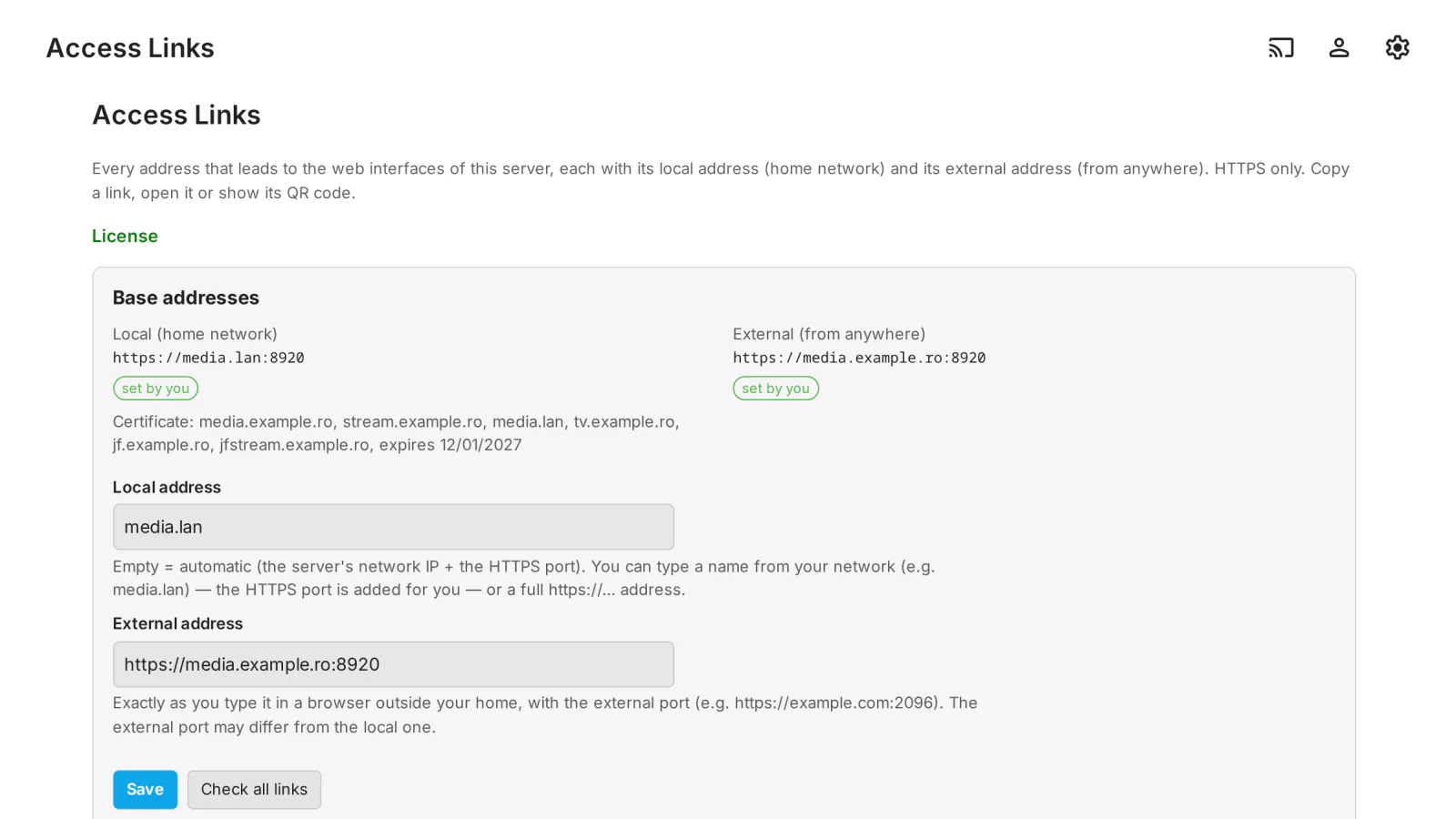
Your users reach the server in many ways: Emby Web, the sign-in screen, the address typed into a TV app, and the pages of the MediaLab plugins (Quick Connect, Registration, Cashier, Share Links…). Each of them has a local address, for your home network, and an external one, for anywhere else, often on a different port. Access Links lists all of them for the administrator, ready to copy, open or show as a QR code, and checks that they really work.
What it does
- Every web entry point of the server: Emby Web, the sign-in screen, the admin dashboard, the server address for apps, and the pages of the MediaLab plugins installed on the server: Quick Connect, Registration, Cashier, Share Links, MediaLab TV and Headend. Each page is marked by who it is for: everyone, signed-in users, TVs or administrators.
- Local and external, side by side: the local address is found automatically (the server's network IP and HTTPS port), or you type a name from your network such as
media.lan. The external address is the one you type in a browser outside your home, with its own port (for examplehttps://example.com:2096), so it works when the external SSL port differs from the local one (custom port mapping, reverse proxy). - HTTPS only:
http://addresses are refused; if HTTPS is not enabled on the server, the page says so. - Copy, open or QR code for every link. The QR code is generated on your server, so internal addresses never go to an outside service.
- Checks, on demand: the certificate of the local and external address (expired, expiring within 14 days, not covering the name, not trusted), whether the external address really reaches this server, and whether each page answers.
- Other Emby and Jellyfin servers: add up to 50 other servers to keep their links at hand (web app, sign-in, MediaLab plugin pages); Check shows their name, version, real type and which pages exist.
- In English and Romanian.
What it sends where
- Nothing leaves your server on its own. Opening the page only checks the certificate of the local address, on your own network. The other checks run only when the administrator clicks Check all links or Check: the server then connects to the addresses you entered (yours and those of the other servers you added) to read their certificate, their public server information (
/System/Info/Public) and whether each page answers. Nothing secret is sent in these checks. - QR codes are generated on your server.
- The only connection to medialab.works is the license check.
Full details for every product, including what stays on your server: Licensing, privacy and compatibility.
Client compatibility
- Access Links is an admin page: checked end to end in Emby Web, also on a 360 px phone screen. The links it makes are ordinary web addresses that open in any browser.
- Not tested yet on a real public domain or with hairpin NAT: the external check starts from the server itself (see Limits).
Requirements
- Emby Server 4.10.1 or newer.
- HTTPS enabled in Emby (a certificate in Emby's network settings), for the links to open.
Limits
- Only pages of MediaLab plugins installed on the server are listed; plugins without pages for users (for example Smart Skip or Plan Guard) do not appear.
- If your router has no "hairpin NAT", the check of the external address from the server itself can fail although the address works from outside: check it from a phone on mobile data.
Licensing
One license per Emby server. Monthly, yearly or lifetime, or included in the Emby bundle. Free 30-day trial. The plugin is licensed under our EULA.
Access Links is our own code, written from scratch by MediaLab Works. Third-party code: the QR code generator is based on the QR Code generator library by Project Nayuki (MIT license).