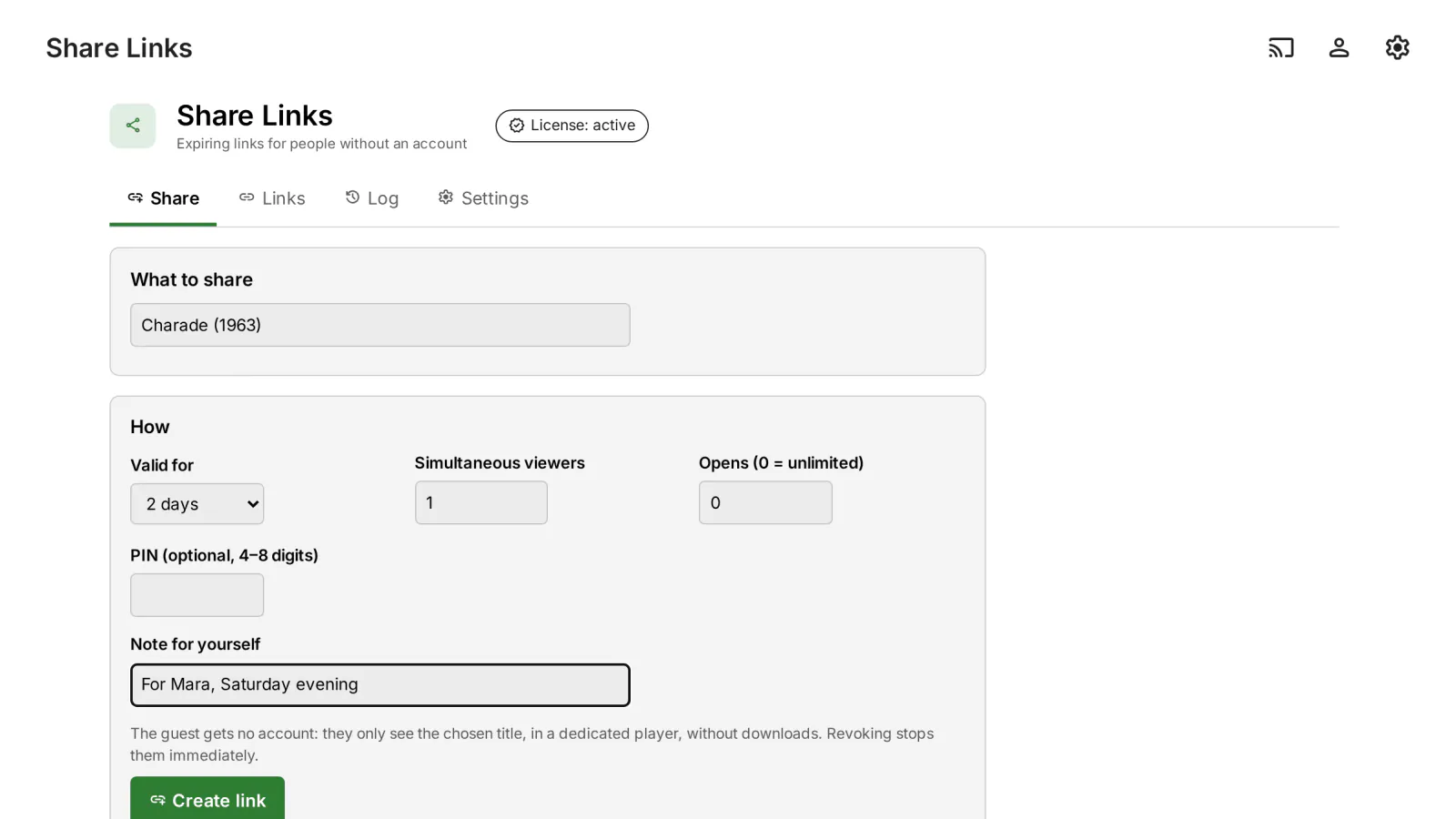
Sometimes you want to show one film or one series to someone who has no account on your server. Share Links creates a link that expires, which the guest opens in a browser, on a phone or on a TV, without ever getting an account or a token for your Emby server.
What it does
- Links with limits: an expiry date, a maximum number of opens, a maximum number of simultaneous viewers and an optional PIN.
- Opens anywhere: in any browser, on a phone or a TV, with a short address and an 8-character code, or with a QR code. It plays in its own player, with the choice of audio track and subtitles.
- No account for the guest: the guest never gets an account or a token. Everything goes through a proxy limited to the titles of the link, and revoking the link stops the playback immediately.
- Security: tokens, codes and PINs are stored only as hashes; repeated wrong attempts are locked per IP address and per link; the bitrate is capped; nothing can be downloaded.
- Sharing by regular users (optional), with a quota per 30 days (a default one, or one per Cashier plan), and a My links page.
- Sending: copy the link or send it by WhatsApp, Telegram or e-mail; every link has an activity log.
Why not a guest account
On Emby 4.10, library restrictions are not enforced when an item is requested directly by its id, so an ordinary "guest" account can reach the whole library. Share Links avoids that by design: the guest has no account, and the proxy serves only the titles of the link.
Requirements
- Emby Server 4.10.1 or newer.
- For guests outside your home network: an address of your server that they can reach.
- Optional: Cashier, for sharing quotas per plan.
What it sends where
- No external services for guests: the public page loads only the plugin's files (hls.js from the server's local web client / bundled), no CDN, fonts or external images; QR generated on the server. Strict headers: CSP
default-src 'self', no referrer,noindex, no framing. - The guest proxy talks only to your local server and passes the guest's IP in
X-Forwarded-For(it appears in the server's logs/sessions). - What the guest sees: the link title, expiry, the sharer's name and, for the shared titles: name, series/season/episode, year, overview, runtime, images. Playback only (HLS, subtitles, images) for those titles; no download; bitrate capped (8 Mbit/s by default). The guest never gets a server token; a temporary hidden user is created, with no libraries/download/Live TV, a random unsaved password, deleted on revoke/expiry.
- WhatsApp/Telegram buttons on the admin page are plain links (they send the link and title only if you click).
- The "Share" button and the "My links" menu need the optional
dashboard-ui/index.htmlpatch (off by default). If you enabled it and it can't be restored after an Emby update, the plugin log is sent to medialab.works (once per Emby version) only if automatic log sending is on, as in every plugin. - Plus the licensing client, the same in every plugin: see Licensing and privacy in our plugins.
Stored locally (state/):
links.json: links — token, short code and PIN only as HMAC-SHA256 hashes (never in clear), titles, creator, dates, uses, viewer count, bitrate, note.- Guest sessions: cookie (HMAC), guest IP, device id, the hidden user's token (server-side only).
- Event log: time, link, kind, IP, detail (max 5000).
- Retention: sessions are removed at expiry; expired links and their events are deleted after 30 days (configurable). Attempt limiting (10 failures in 10 min → 15 min block per IP) is memory-only.
Client compatibility
- Guests: any modern browser (hls.js/MSE or native HLS on iPhone); on a TV, open
/ShareLinks/sin the TV browser and type the 8-character code. ✅ Chrome (desktop, "TV 1080p", phone; 18/18). Safari/iOS, Firefox, real TV browsers: ❔ not tested. - The "Share" button and "My links" only in Emby Web (with the
index.htmlpatch); native Emby apps have no button. Admin page and "My links" ✅ (Chrome, desktop + phone). - Native Emby apps: ➖ no integration.
Legend: ✅ verified (end-to-end or on-device test) · 🟢 server-side, works with any client (by design, no client-specific test) · ➖ not applicable · ❔ not tested.
Licensing
One license per Emby server. Monthly, yearly or lifetime, or included in the Emby bundle. Free 30-day trial. The plugin is licensed under our EULA.
Share Links is our own code, written from scratch by MediaLab Works; it contains no third-party code. Its player uses the hls.js that comes with Emby, which the plugin does not ship.