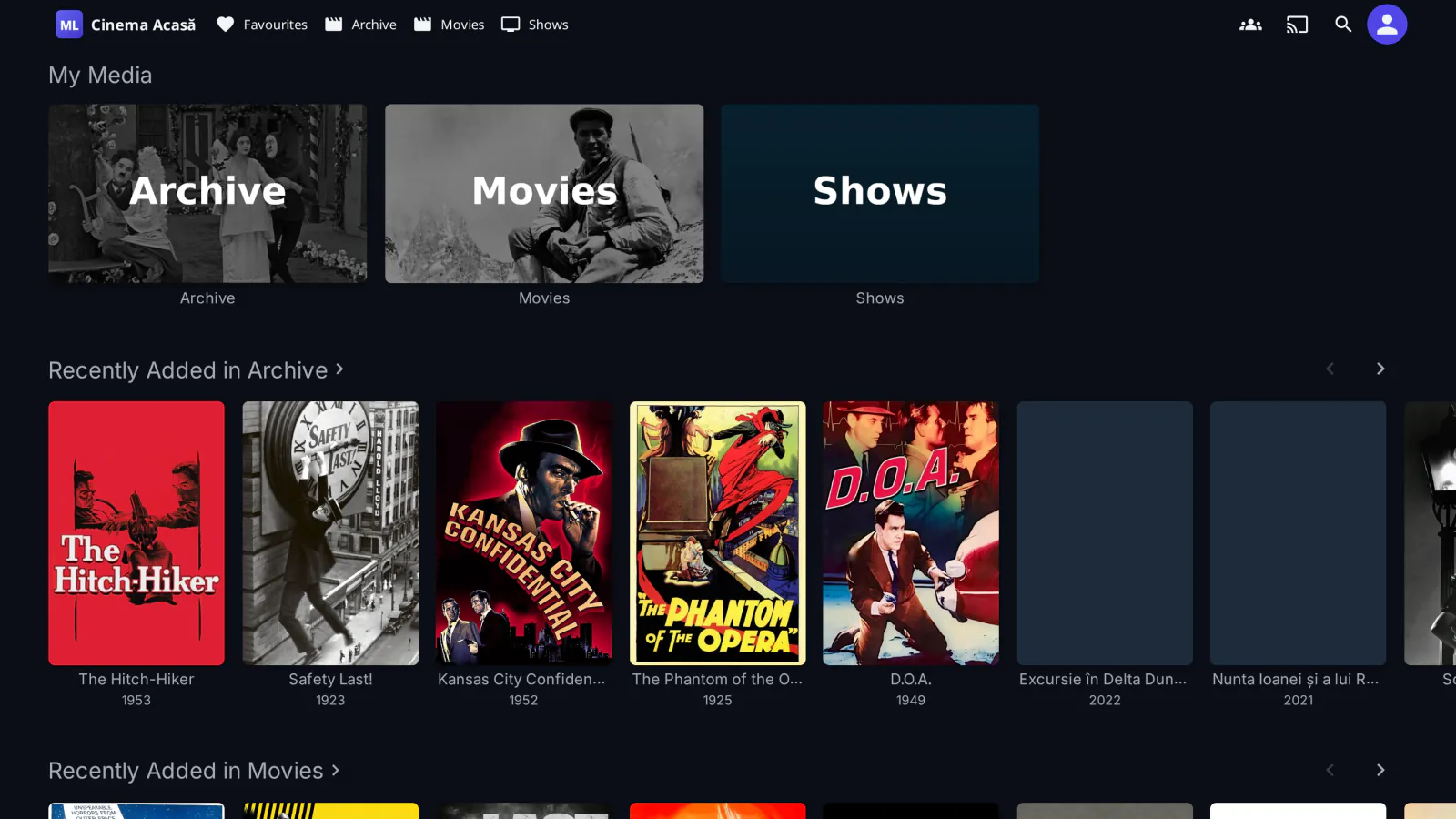
medialab Server is our variant of Jellyfin 12.2. It keeps Jellyfin's data, libraries, users and apps: the Jellyfin apps for Android, iOS, TV and the web connect to it exactly as they do to official Jellyfin. What it adds is a better home for plugins, ours first.
It is free: no price, no license key and no trial. It is free software under the GPL-2.0, like Jellyfin, and its source code is public.
Install
- In a container (Docker, Compose, Unraid, Portainer, Kubernetes; amd64 and arm64, Ubuntu included): the image
ghcr.io/cristiancasapu/medialab-server, built from the same signed packages. See Install medialab Server in a container; the build files are public in medialab-server-docker. - With apt on Debian 12 (bookworm), amd64 or arm64: the
medialab-serverandmedialab-server-webpackages replacejellyfin-serverandjellyfin-weband keep your data in place. See Install medialab Server with apt. The packages need Debian 12 libraries, so on Ubuntu use the container.
At the first start, the Jellyfin database is upgraded to the 12.2 format, which an older Jellyfin cannot open again: make a backup first.
MediaLab TV is included
Since 12.2-ml.8, the TV app is part of the server, free: no plugin and no separate subscription on medialab Server.
- TVs without a Jellyfin app open
https://<server>:8096/web/tv/in their own browser and get the Netflix-style interface: Continue Watching, Next Up, libraries, My List, live TV, title pages, search with the on-screen keyboard and profiles. - Its own player, with audio tracks, subtitles, resume and Skip intro / recap / credits.
- Settings in the users' menu → MediaLab TV – admin: name, logo (PNG/SVG), colors, language, access path and Turnstile.
- Installing over a version that had the
jf-tvappplugin, the server takes over its settings, logo and Turnstile key and no longer loads the plugin; the same addresses keep working. - On official Jellyfin, MediaLab TV remains the jf-tvapp plugin.
- Automatic quality uses SpeedTest when it is installed and licensed; without it, the TV measures the network itself.
Source code and license
medialab Server is based on Jellyfin and Jellyfin Web, by the Jellyfin contributors, and stays under their license, the GPL-2.0. The source code of every version, with a tag for each release (package 12.2+mlN+deb12 = tag v12.2-ml.N = image tag 12.2-ml.N), is public: medialab-server and medialab-server-web. The version history is in the changelog.
Our plugins for Jellyfin work on official Jellyfin and on medialab Server; see Jellyfin plugins. "Jellyfin" is a trademark of the Jellyfin project; medialab Server is independent and not endorsed by it.