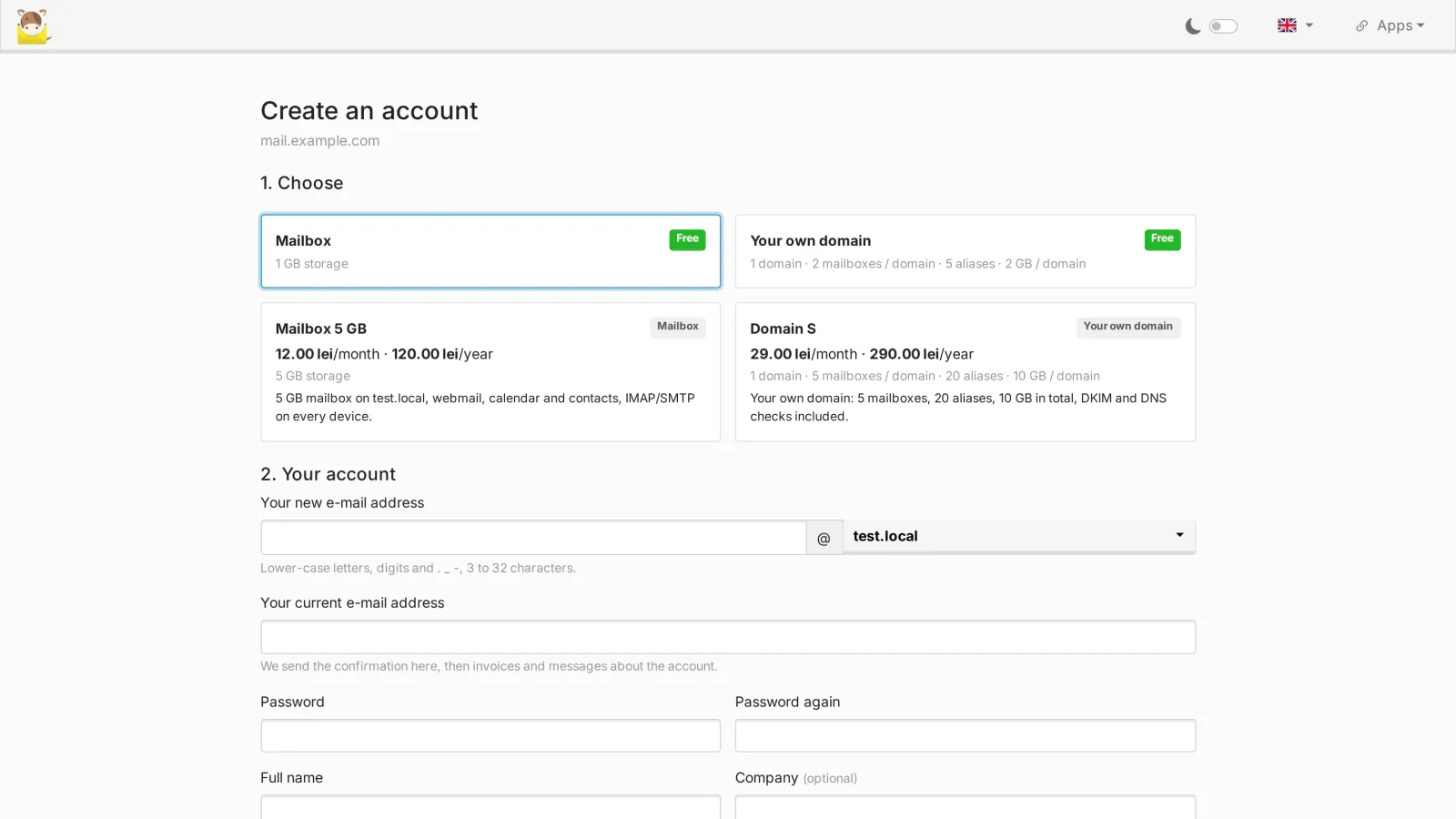
With Sign-up for mailcow visitors can create their own accounts on your mailcow. Cashier for mailcow lets you sell them: mailbox plans and domain packages, paid monthly or yearly by card through your own Stripe account, applied to mailcow as soon as the payment is confirmed. It ships in the mailcow Toolkit package (0.4.0 or newer), has its own license and needs Sign-up.
What it does
Your Stripe account, your payments
- Payments go directly into your own Stripe account. MediaLab Works never sees or processes your customers' payments: Cashier talks to Stripe from your server, with your keys.
- A restricted key is recommended, with write access to Customers, Checkout Sessions, Customer portal, Products, Prices, Subscriptions, Subscription items and Webhook Endpoints, and read access to Invoices. The key is checked with Stripe, stored encrypted on your server and never shown again.
- The webhook is created in your Stripe account from the admin page. Every event is signature-verified and processed once (a repeated event changes nothing), with a pinned Stripe API version.
- Test keys and live keys both work; the page shows which mode is connected.
Plans and add-ons
- Mailbox plans (a mailbox with its quota) and domain packages (number of domains, mailboxes, aliases and quota per domain, default mailbox quota), with names and descriptions in English and Romanian.
- Monthly and/or yearly prices, trial days, and hidden plans reachable only through their direct link or an invitation code.
- Add-ons bought with a quantity: extra mailboxes on each domain of the package, or extra storage. Plan changes and add-ons are prorated by Stripe and applied to mailcow at once.
- A plan or package smaller than what the customer uses now is refused, with what to reduce first. Nothing is deleted to make it fit.
When a payment fails
- The account keeps working during a grace period you choose (0 to 90 days), and the customer gets an e-mail with the link to pay.
- After the grace period the account is suspended. By default "no sign-in": the mailboxes keep receiving mail, but nobody can sign in and the domain administrator is inactive. You can choose "inactive" instead: mailboxes, domain administrator and domains are deactivated in mailcow.
- A payment restores the account at once, exactly as it was. Nothing is ever deleted.
- A cancellation keeps everything until the end of the paid period. Then an account created by the subscription stays suspended; an account that bought a plan after a free registration goes back to the free package when it fits.
For your customers
- The subscription on My account: plan, renewal date, add-ons, Change plan, and the Stripe customer portal for the card, the invoices and the cancellation.
- E-mails in English or Romanian: new invoice, receipt, payment failed, suspended (with the link to pay), active again, ending and ended.
- A public page,
/mlw-cashier/billing.php, e-mails the payment link of an open invoice to a suspended customer who cannot sign in.
For you
- The list of subscribers with the monthly revenue, each subscription linked to Stripe, and the recent Stripe events.
- Free grants: give a plan to an account for a number of days, without Stripe.
- Without a license no new checkout starts. The webhooks of existing subscribers are still processed and a checkout completed meanwhile waits until the license is back; existing accounts are never touched.
Requirements
- The mailcow Toolkit package 0.4.0 or newer on mailcow-dockerized (Linux,
docker compose, systemd); Cashier is part of the package. - Sign-up for mailcow with its own valid license: paid accounts are created through its registration page.
- Your own Stripe account (in a country Stripe supports) and a restricted key with the permissions above.
- The mailcow UI reachable from the internet over HTTPS, so that Stripe can call the webhook (
/mlw-cashier/webhook.php). - The server must reach medialab.works over HTTPS (license check) and api.stripe.com.
Frequently asked
Do payments go through MediaLab Works? No. The money, the invoices and the customer data in Stripe are in your own Stripe account; we are not a party to your sales. Stripe's terms apply between you and Stripe.
What happens to a mailbox when a customer stops paying? It is suspended after the grace period, never deleted. With the default mode it keeps receiving mail, so nothing is lost; a payment turns everything back on.
Can a customer move to a smaller plan? Yes, if what they use fits the new plan. Otherwise the change is refused and the page says what to reduce.
Where is the data kept?
Plans, customers and subscriptions are in mailcow's database (tables mlw_ca_*), part of mailcow's backups. The Stripe keys are encrypted, with the key to decrypt them kept apart in mailcow's redis.
Licensing
Cashier for mailcow is open source (GPL-3.0), like mailcow and the Toolkit. What you buy is the subscription for new versions, updates and support for one mailcow server, with its own license key and its own free 30-day trial; the mailcow bundle covers the Toolkit, Sign-up and Cashier with one key. It is PHP and JavaScript, so you receive the complete source code. See section 11 of the EULA.
Cashier for mailcow is our own code, written by MediaLab Works; it contains no third-party code and no Stripe SDK (it calls Stripe's public API directly). mailcow is a separate open-source project (GPL-3.0) by The Infrastructure Company GmbH; Stripe is a separate payment service, used only with your own account. See Copyright.