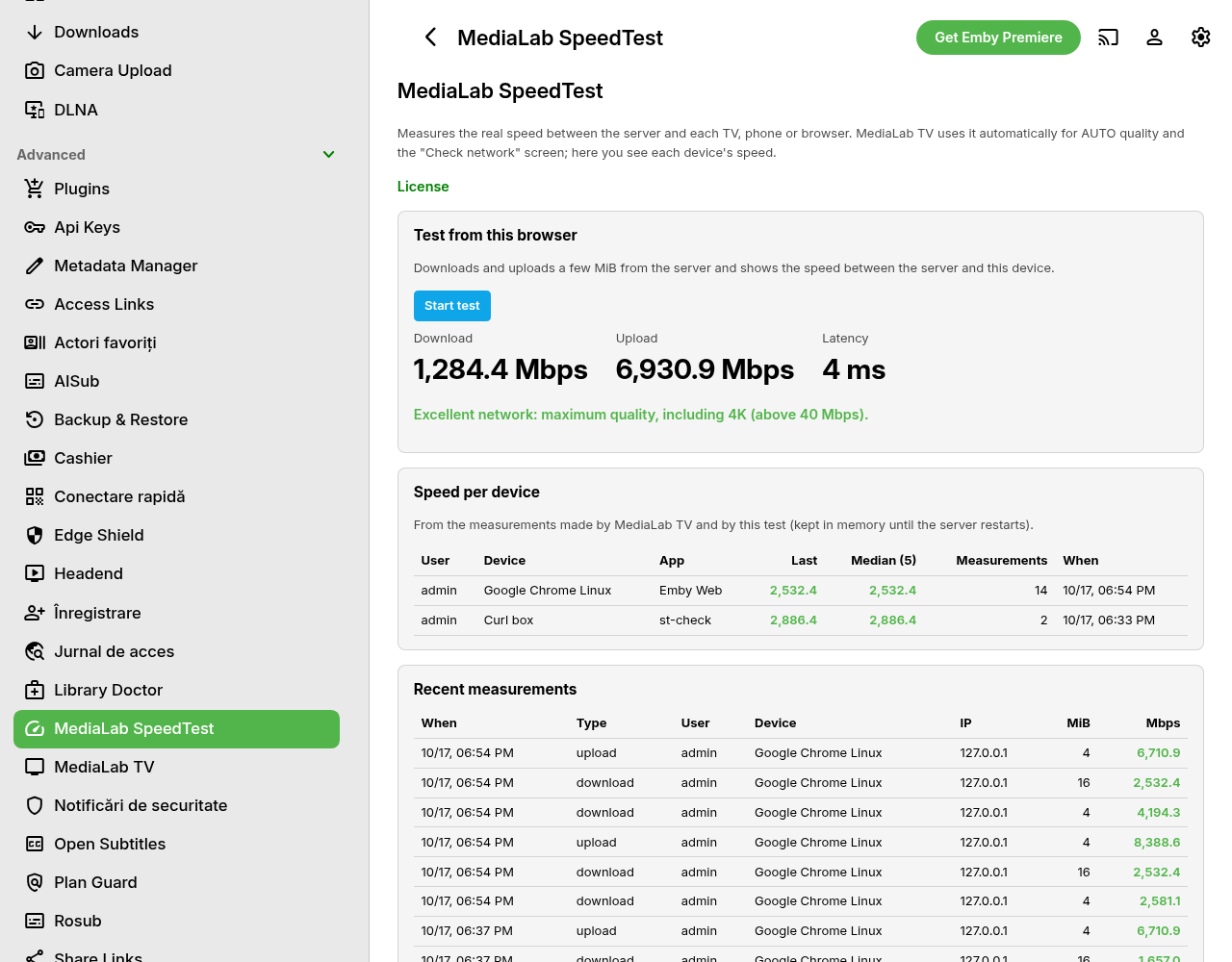
Measures the real speed between your server and each TV, phone or browser: timed download and upload, latency, with anti-abuse limits.
It is not a test of your internet provider's line. It measures the path from your Emby server to the device that will play the video — Wi-Fi, router, VPN, mobile data — which is what decides whether a stream plays in 4K or 1080p, or has to be transcoded. The result belongs to that device, not to the server as a whole.
What it does
- Timed download, upload and latency, run from the plugin page in the browser of the device you are testing.
- Verdict per device: slow (under 3 Mbps), medium (3–12), good (12–40), excellent (over 40).
- Speed per device: the last measurement and the median of the last five, so one bad run does not mislead you.
- Recent measurements: who measured, from which device, when, and the result.
- Works with MediaLab TV: the TV app uses it on its own for AUTO quality and for the "Check network" screen. If the plugin is missing or the license is not active, MediaLab TV falls back to its own internal measurement, without errors.
- Anti-abuse limits: a maximum number of measurements per minute for each user and a maximum size per measurement (1–64 MiB).
- Settings: on or off, limits, and how much history to keep.
Requirements
- Emby Server 4.10.1 or newer (Linux, Windows or Docker).
- The person who runs the test must be signed in to Emby: the measurement endpoints are available only to signed-in users.
- Nothing else: no graphics card, no external service, no account at a speed-test provider.
Limits
- Measurements are kept in the server's memory only. They are lost when Emby restarts, are not written to the database and are not sent anywhere.
- The numbers depend on the whole path: Wi-Fi signal, router, VPN, the provider and how busy the line is at that moment. Run the test when the problem happens.
- One measurement at a time per device is recommended: parallel measurements share the bandwidth and give lower numbers.
What it sends where
- The test data travels only between your server and the device that runs it. It goes through the same Emby address and login the device already uses.
- Nothing is sent to medialab.works and nothing is sent to a third-party speed-test service.
- The plugin uses the licensing client, the same in every MediaLab plugin: see Licensing and privacy in our plugins.
- Stored locally: the measurements are in memory; the settings and the license state are kept in the plugin's data folder.
Licensing
One license per server, like the other MediaLab plugins: monthly or yearly subscription, or lifetime. The 30-day free trial is available once per account and per server. Without a valid license the measurement endpoints and the page stop; nothing else on the server is affected. See Pricing and the installation guide.