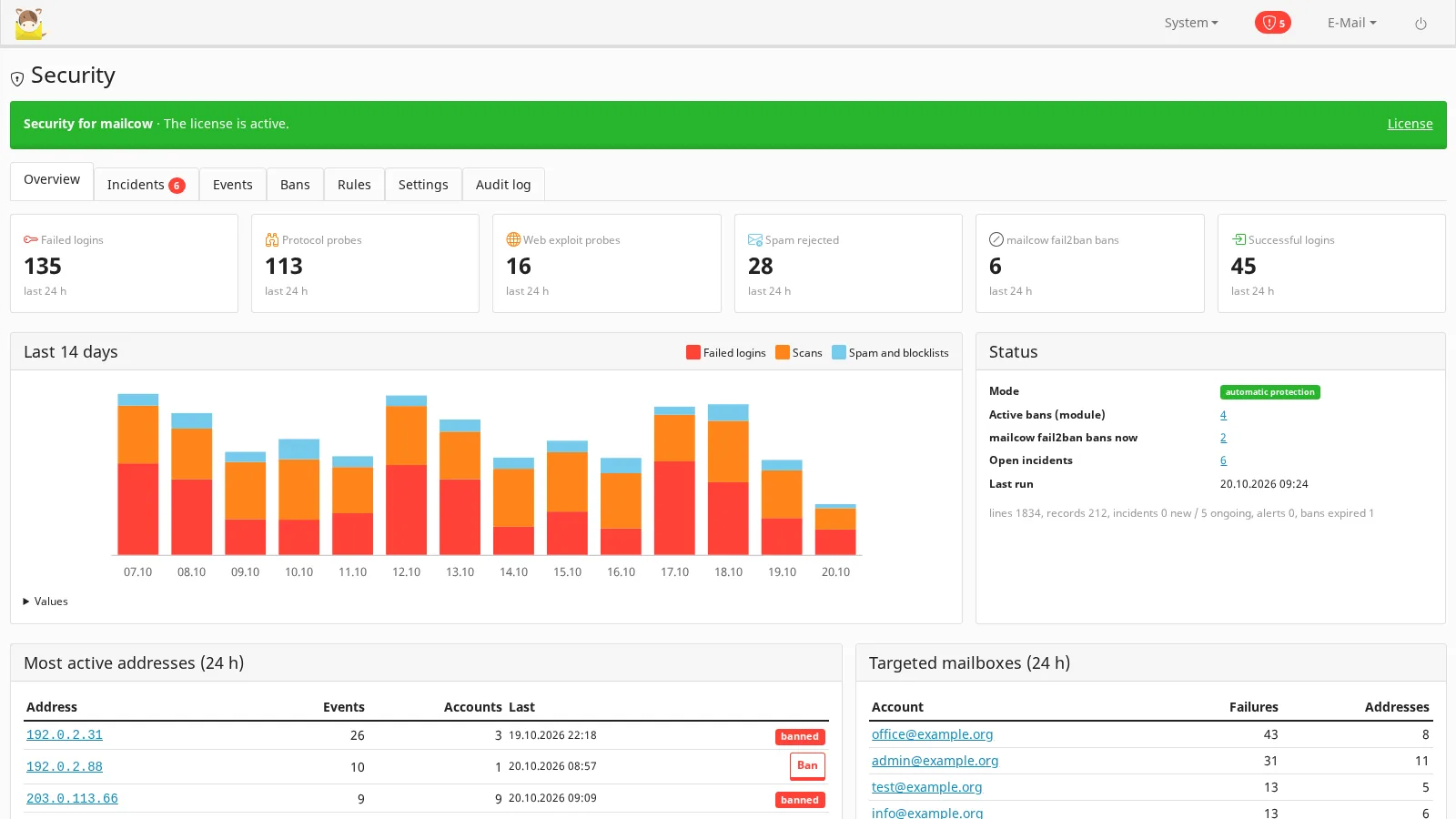
mailcow's built-in fail2ban stops the loudest attacks — ten failed logins in ten minutes earn a thirty-minute ban — and forgets them. Everything quieter gets through: an address that tries a password every few minutes all day, a botnet that spreads its guesses over hundreds of addresses, a scanner that walks your webmail looking for /.env, a mailbox whose password was guessed and now sends spam. This module shows all of it in System → Security, keeps the history, and acts when you let it.
What it does
- A history of attacks: every minute it reads what mailcow already logs — dovecot, postfix, SOGo and fail2ban from mailcow's redis, the web server and failed mailcow UI / API logins through the Toolkit's host agent — and keeps it in mailcow's database (90 days by default). mailcow's own logs keep only the last lines; this history stays.
- An overview with the totals of the last 24 hours, a 14-day chart, the most active addresses (with a ban button), the mailboxes that are targeted and the active incidents. A red shield next to the System menu shows open serious incidents on every admin page.
- 13 rules for what fail2ban misses: slow brute force, password spraying (one address, many mailboxes), repeat offenders (addresses fail2ban keeps banning), brute force on SOGo / the mailcow UI / the API, web exploit and 404 scans, relay probing, protocol scans and spam floods. Thresholds, windows, actions and ban lengths can be changed per rule.
- Compromised mailboxes: a sending spike, logins from many addresses, and a login from an address that failed on the mailbox before — a password that was probably guessed.
- Bans through mailcow itself: with automatic actions on, an address goes into mailcow's fail2ban denylist for the rule's duration; netfilter applies it on every mailcow port within a minute, and you see it on mailcow's own Fail2ban page. For web hosts behind Cloudflare's proxy, the ban can also be an account-level Cloudflare IP Access Rule.
- Account actions through mailcow's own functions: disallow login (the mailbox still receives mail), end the IMAP / POP3 sessions, require a password change, limit sending.
- Alerts by e-mail and Telegram from the severity you choose, with an hourly limit, and an optional daily summary.
Built not to lock you out
- Monitor only by default: every incident says what would have been done; you turn automatic actions on when you trust the rules.
- Never banned automatically: private and reserved addresses, your allowlist, mailcow's fail2ban allowlist, the server's own addresses and — on by default — addresses that signed in successfully to a mailbox in the last 30 days.
- A ban you remove on mailcow's Fail2ban page counts as lifted. Bans expire on time, even without a license, and uninstalling lifts them all.
- Every action — yours or the module's — is in the audit log.
Requirements
- mailcow-dockerized with the MediaLab Works mailcow Toolkit 0.6.0 or newer (this product is one of the modules in that package, with its own license).
- Root access on the host to install the Toolkit; the server must reach
medialab.worksover HTTPS for the license check. - mailcow's netfilter container running (it applies the bans). With Manage external on, your own firewall has to apply mailcow's list.
- Optional: a Cloudflare token with Account → Account Firewall Access Rules → Edit; a Telegram bot token for alerts.
- Open source (GPL-3.0): you receive the complete source code.
Privacy
Everything stays on your server: logs, addresses, mailbox names and the history are kept in your mailcow database and never sent to medialab.works. Alerts go only to the e-mail address and the Telegram chat you set.
Licensing
One license per mailcow server, monthly or yearly subscription or lifetime, with the 30-day free trial; it is also part of the mailcow bundle. Without a valid license detection, bans and alerts stop and nothing is deleted. See Pricing and the installation and user guide.