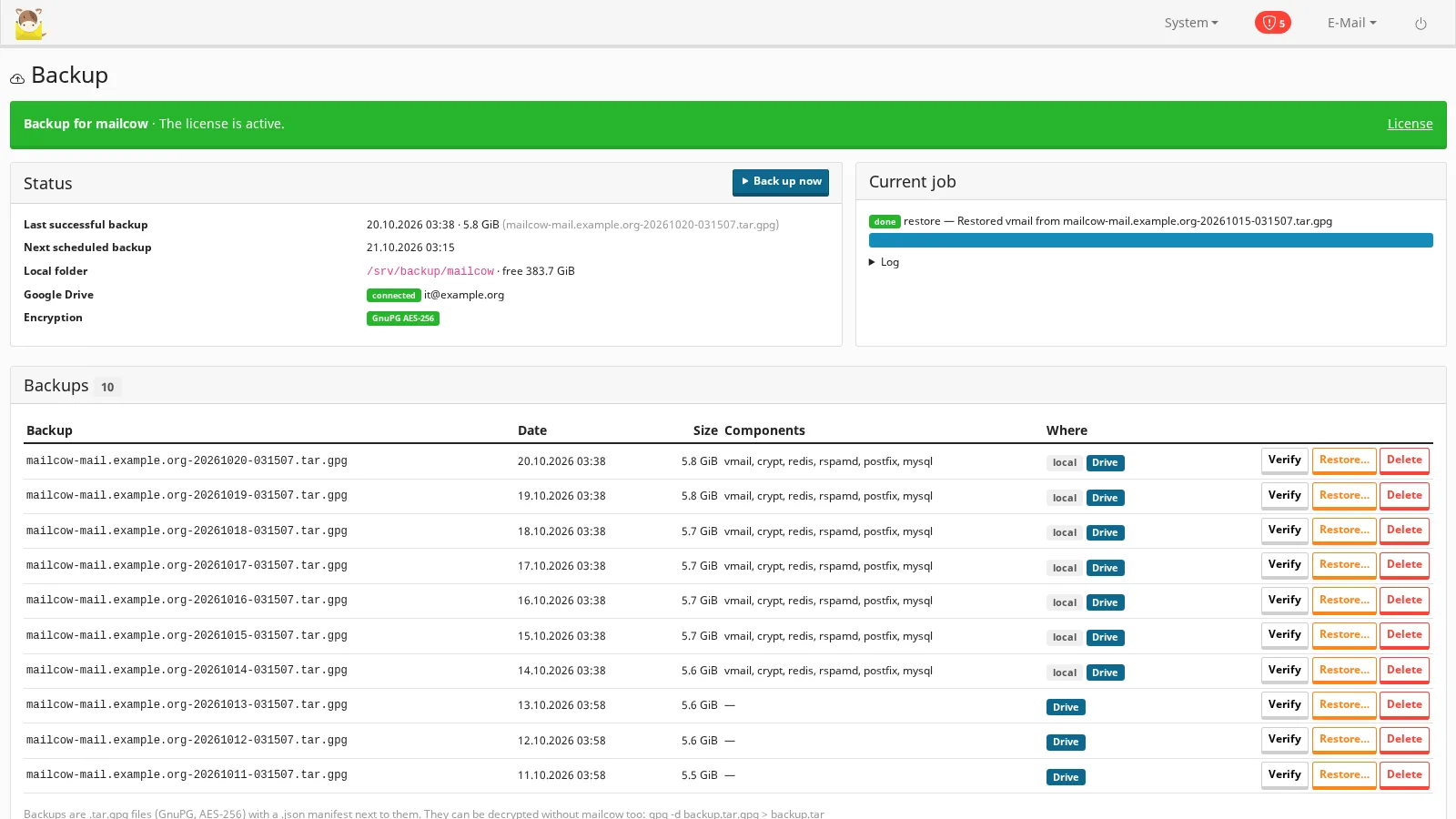
mailcow ships a good backup script, but it is a command you run by hand: nothing schedules it, nothing encrypts it, nothing copies it off the server, and restoring means answering its questions on the shell. This module turns it into a service you set up once in System → Backup.
What it does
- Scheduled backups at the times and on the days you choose, with mailcow's own backup script: mail, encryption keys, redis, rspamd, postfix and the database — all of them or the ones you pick. A backup missed while the server was off runs once when it is back.
- Encrypted on the server with GnuPG (AES-256, with integrity protection) under your passphrase, before it reaches the disk or Google Drive. Each backup is one
.tar.gpgfile with a manifest (components, sizes, SHA-256); it decrypts with plaingpgtoo, without mailcow. - Local copies in the folder you choose (ideally another disk), readable by root only, with retention: the newest N stay.
- Google Drive with your own Google OAuth client: the module sees only the files it created, the access stays on your server, uploads are resumable and continue after a network error. Retention on Drive too.
- Verify a backup — decrypt and read it whole — without restoring anything.
- Restore from the page, from a local copy or straight from Google Drive, per component (mail, keys, database…), with a typed confirmation and a live log. The steps are those of mailcow's own restore, without its questions.
- Several passphrases: a new one applies to the next backups; older backups stay restorable, on this server or a new one.
- E-mail on failure or after every backup, and a full history of backups, uploads, verifications and restores.
Built to get your data back
- A backup is checked against its SHA-256 before it is decrypted, and its paths are checked before anything is written.
- The module's own secrets (passphrase, Google access) survive restoring redis.
- Without a valid license the scheduled backups stop, but verify, restore and delete keep working: your data is never held hostage.
Requirements
- mailcow-dockerized with the MediaLab Works mailcow Toolkit 0.7.0 or newer (this product is one of the modules in that package, with its own license).
- Root access on the host to install the Toolkit; GnuPG on the host (
apt install gnupg); the server must reachmedialab.worksover HTTPS for the license check. - Free disk space in the local folder for about two backups (one is built while the previous ones are kept).
- Optional, for Google Drive: a Google account and an OAuth client of your own in Google Cloud (the guide shows the steps).
- Open source (GPL-3.0): you receive the complete source code.
Privacy
The backups contain all your mail. They leave the server only encrypted, and only to the Google Drive account you connect; nothing is sent to medialab.works except the license check. Keep the passphrase outside the server: without it a backup cannot be restored on another server.
Licensing
One license per mailcow server, monthly or yearly subscription or lifetime, with the 30-day free trial; it is also part of the mailcow bundle. See Pricing and the installation and user guide.