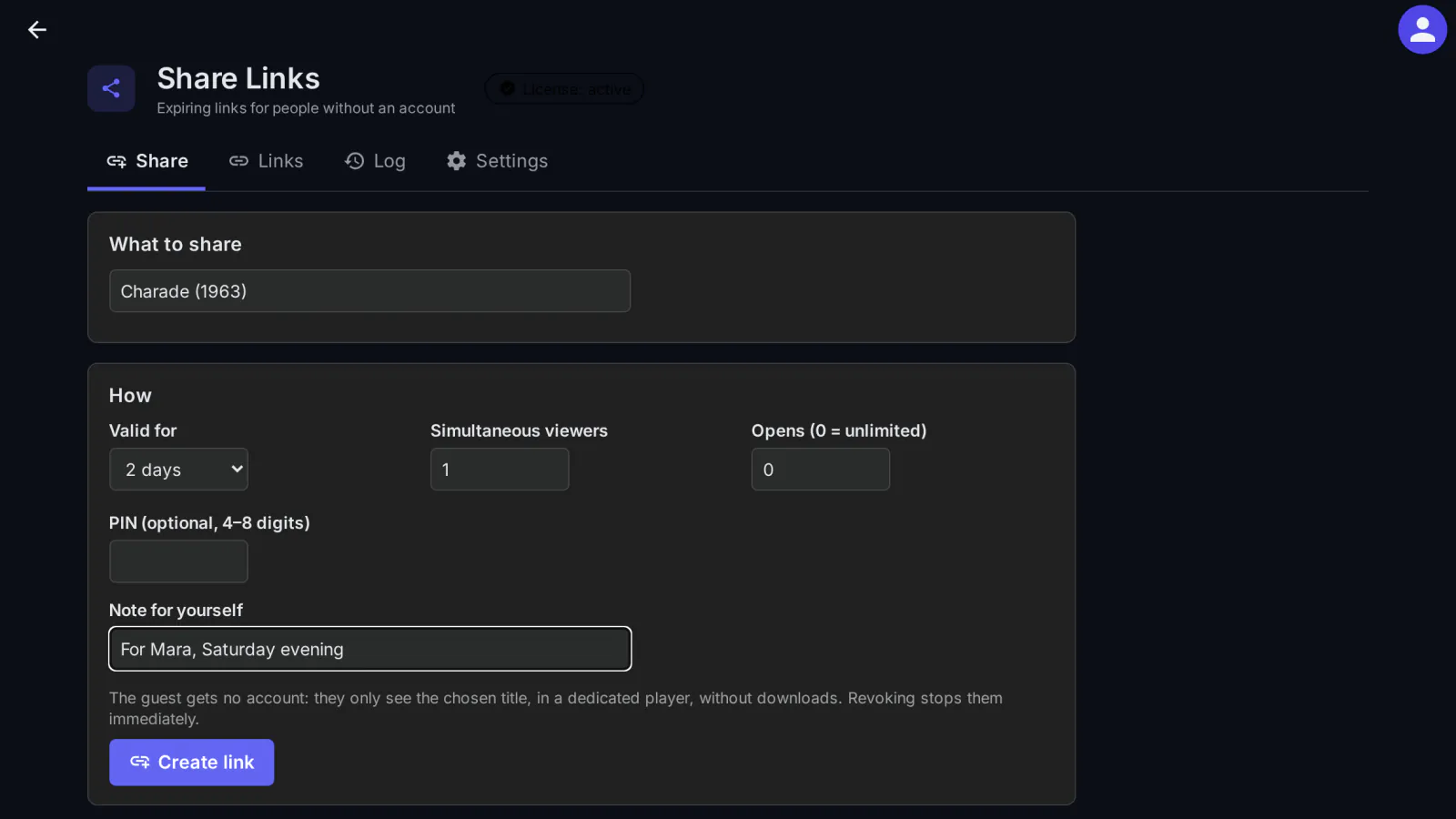
Sometimes you want to show one film or one series to someone who has no account on your server. Share Links by MediaLab creates a link that expires, which the guest opens in a browser, on a phone or on a TV, without ever getting an account password or a token for your Jellyfin server.
What it does
- Links with limits: an expiry date (48 hours by default, up to 7 days unless you allow more), a maximum number of opens, a maximum number of simultaneous viewers and an optional PIN of 4 to 8 digits.
- Opens anywhere: in any browser, on a phone or a TV, with a short address and an 8-character code (
XXXX-XXXX), or with a QR code. It plays in its own player, with the choice of audio track and subtitles. - The guest never sees a token: the plugin keeps the guest's access on the server and passes everything through a proxy limited to the titles of the link. Revoking the link signs the viewers out immediately.
- Security: tokens, codes and PINs are stored only as hashes; repeated wrong attempts are locked per IP address and per link; the bitrate is capped (8 Mbps by default); nothing can be downloaded.
- Sharing by regular users (optional, only titles they can see themselves), with a quota per 30 days (a default one, or one per Cashier plan), and a My links page.
- Sending: copy the link or send it by WhatsApp, Telegram or e-mail; the plugin page keeps an activity log of the links.
How the guest is kept in
When a link is first opened, the plugin creates a hidden, temporary Jellyfin user for that link: it sees only the libraries of the shared titles, cannot download, has no Live TV, remote control or SyncPlay, and can have only as many sessions as the link allows viewers. Its token never leaves the server: the guest's browser holds only a session cookie of the plugin, and the proxy serves only the titles of the link (a season or series includes its episodes). When the link expires or is revoked, the viewers are signed out and the temporary user is deleted.
What it sends where
Nothing goes to outside services: the guest's browser talks only to your server, and the player (hls.js) is served by the plugin itself. Only the license check reaches medialab.works. The send buttons only open WhatsApp, Telegram or your e-mail app with the text prepared; the plugin sends nothing by itself.
- What the guest sees: the link's title and expiry, the name of the person who shared it and, for the shared titles, their name, series, season and episode, year, overview, runtime and images.
- What stays on your server: tokens, codes and PINs only as hashes; for guest sessions and the link's activity log, the guest's IP address, which the proxy also passes to Jellyfin (it shows in the server's logs and sessions). Expired links and their events are deleted after 30 days (configurable).
Full details for every product, including what stays on your server: Licensing, privacy and compatibility.
Client compatibility
- Guests open the link in a modern browser: on a computer, a phone or a smart TV's browser (with the short address and the 8-character code). Tested in Chrome on a computer, a phone and a 1080p TV-size screen; Safari on iPhone, Firefox and real TV browsers have not been tested yet.
- You create links from the plugin's page in the Jellyfin dashboard; your users from their My links page (
/ShareLinks/Myon your Jellyfin address). - On medialab Server (our Jellyfin variant), from version 0.1.1 the web client also shows a Share button on the title page and My links in the menu, for those allowed to share. On official Jellyfin these two shortcuts do not appear; everything else works the same.
- The native Jellyfin apps have no Share button.
Requirements
- Jellyfin Server 12.2 or newer.
- For guests outside your home network: an address of your server that they can reach.
- Optional: Cashier, for sharing quotas per plan.
Licensing
The plugin is open source (GPL-3.0). The ready-to-install builds are public, like the source code. What you buy is the subscription: the license to use the plugin on one Jellyfin server, the updates your plan includes, and support: every update while the subscription is active, through your private plugin repository, and help when something does not work. The plugin checks the subscription key once a day; without a valid subscription it stops until you renew (nothing is deleted). Monthly, yearly or lifetime (lifetime includes one year of updates), or included in the Jellyfin bundle. 30-day free trial.
Source code. For every release, the complete corresponding source code is public, next to the build, in the changelog, and also in your account (Account → Licenses, Source code); each archive contains the full GPL-3.0 text (LICENSE). If you need the source of a version you can no longer download, ask us and we send it. See section 10 of the EULA.
Our own code, written by MediaLab Works. Third-party code: the player uses hls.js 1.5.20, unmodified (Apache License 2.0); the QR code generator is based on the QR Code generator library by Project Nayuki (MIT license).