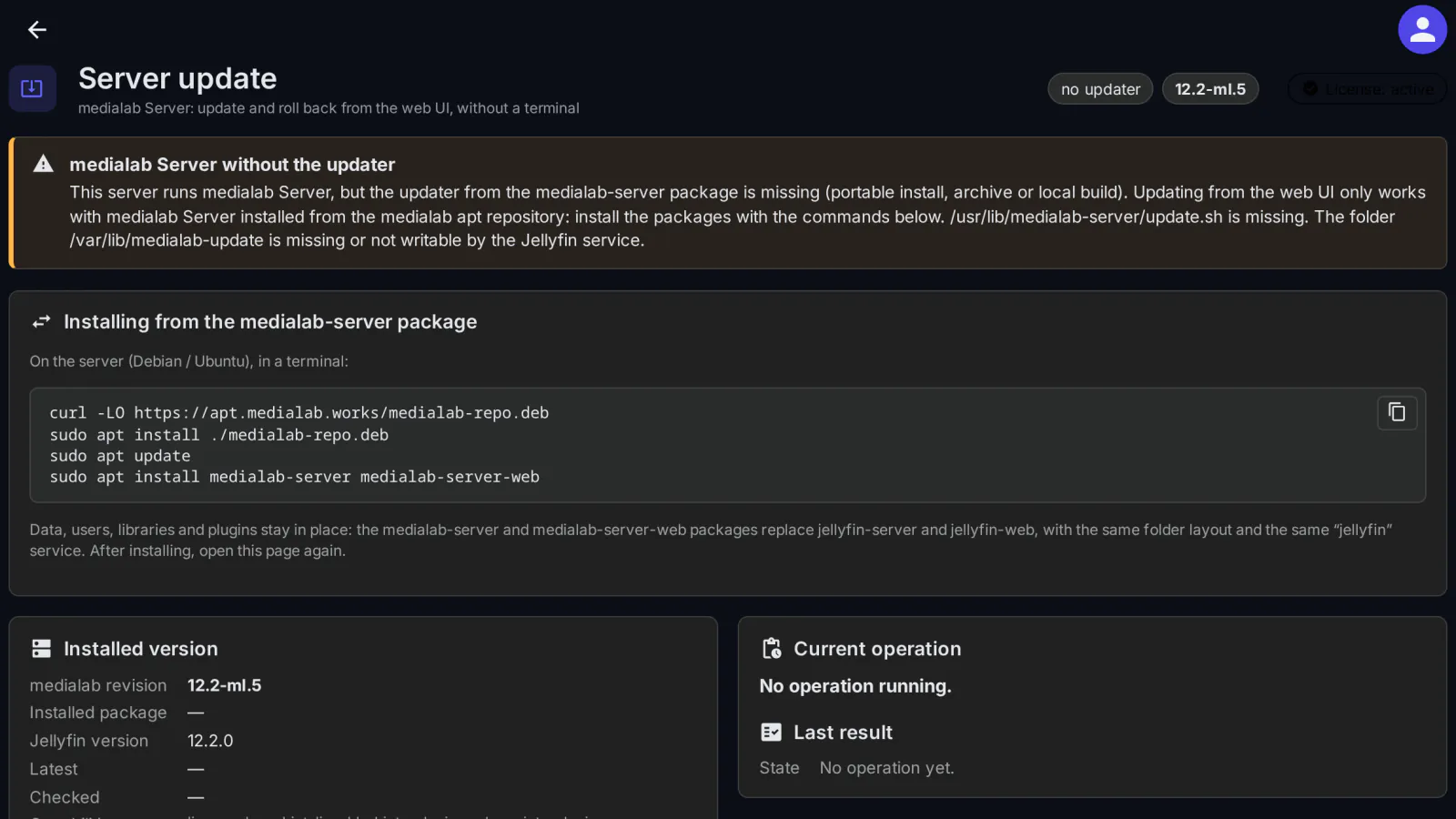
medialab Server is the MediaLab Works variant of Jellyfin, distributed as signed packages (medialab-server and medialab-server-web) from the medialab apt repository. Updating a server normally means a terminal, apt and a careful eye on whether it comes back. Self-Update does it from the Jellyfin web UI: it shows the installed version and the versions in the repository, installs the one you choose, follows the restart and tells you how it went. If the new version does not start correctly, the server goes back to the previous one by itself.
What it does
- Check now: reads the list of versions in the medialab repository, with the newest one and the installed one marked. Checking works without a license.
- Update: to the newest version or to any version in the list, after a confirmation.
- Roll back: to the version just below the installed one (Roll back to the previous version), or to any older version in the list. From medialab Server 12.2-ml.7 on, rolling back below 12.2-ml.7 is refused on purpose: older versions have the less secure updater.
- Backup first: before installing, the server database and configuration are backed up.
- Automatic rollback: if the server does not start correctly with the new version, it returns to the previous version and the backup is restored. The page then says that the update failed and which version the server returned to.
- Progress across the restart: the page follows the operation, shows The server is restarting… while it is down (usually 1–3 minutes) and reloads by itself when the server answers again, then shows the result.
- Daily check and optional automatic update: the scheduled task Check for medialab Server updates runs every day at 03:00 and only checks; installs nothing. With Install new versions automatically turned on (it is off by default), a newer version found by the check is installed at the hour you choose (04:00 unless you change it), at most once a day.
- The page is in English or Romanian, following the language of the Jellyfin web UI.
How it stays safe
- The plugin runs as the
jellyfinuser, without sudo and without administrator rights. All it does is write a request file (/var/lib/medialab-update/request.json). - The system service
medialab-update, installed by themedialab-serverpackage and running as root, picks up the request and validates it strictly: the action must be update, rollback or check, the version must have the exact package format (for example12.2+ml4+deb12) and must exist in the medialab repository. Anything else is refused. - Only the
medialab-serverandmedialab-server-webpackages are installed, and only from the signed medialab apt repository, whose address is fixed on the server and never comes from the request. - The plugin's API answers only Jellyfin administrators. A new request is refused while an update is running or another request is waiting to be picked up.
Where it works
- medialab Server installed from its packages (Debian or Ubuntu), with the updater that the
medialab-serverpackage brings: everything works. - medialab Server installed another way (an archive, a portable install, a local build): the updater is missing, so the page explains how to install from the packages and the actions are turned off.
- Official Jellyfin: the page only shows how to switch to medialab Server. The switch takes a few minutes and keeps your data, users, libraries and plugins in place: the medialab packages replace
jellyfin-serverandjellyfin-web, with the same folder layout and the samejellyfinservice.
Requirements
- medialab Server (the MediaLab variant of Jellyfin 12.2) installed from the
medialab-serverandmedialab-server-webpackages, on Debian or Ubuntu. - At least 1 GB free in
/usr/libfor an update; with less, the update stops with the message Not enough disk space. - An update restarts the server: playback in progress stops for 1–3 minutes.
Frequently asked
What happens if an update goes wrong? The database and configuration are backed up before installing. If the server does not start correctly with the new version, it returns to the previous version by itself and the backup is restored; the page tells you so. In the rare case where the server does not answer after returning either, the page shows where the backup is.
Can it install anything else on my server? No. The root service installs only the two medialab Server packages, only from the signed medialab repository, and refuses any request that does not match the expected format exactly.
Does it update automatically without asking? Only if you turn on Install new versions automatically; it is off by default. The daily task only checks for new versions.
Licensing
The plugin is open source (GPL-3.0) and our own code, written for medialab Server. The ready-to-install builds are public, like the source code. What you buy is the subscription: the license to use the plugin on one Jellyfin server, the updates your plan includes, and support: every update while the subscription is active, through your private plugin repository, and help when something does not work. Checking for versions works without a license; updating, rolling back and the automatic update need a valid license, checked again before each action unless it was checked shortly before. Monthly, yearly or lifetime (lifetime includes one year of updates), or included in the Jellyfin bundle. A 30-day free trial is available.
Source code. For every release, the complete corresponding source code is public, next to the build, in the changelog, and also in your account (Account → Licenses, Source code); each archive contains the full GPL-3.0 text (LICENSE). If you need the source of a version you can no longer download, ask us and we send it. See section 10 of the EULA.